Colin V32.7 Full Guide
Colin the Grinder
V32.7 User Instruction Guide
Buttons
Top Hand Sensor Button
Opens the Settings Menu.
Green Button
Changes grinding mode.
White Button
Cancels most screens.
Exception: On the main screen, it dispenses 1 gram of coffee.
Black Button
Hard reset / memory clear button. This should rarely be needed.
Rotary Knob
Turn to adjust values.
Press to select, confirm, or start.
Press and rotate to manually adjust calibration.
Grinding Modes
The grinder has three modes changed using Green Button:
TG: Timed Grind Mode
This is the normal dose-based grinding mode.
The screen shows the target grams. Turn the knob to increase or decrease the dose.
Press the knob once to open the confirmation screen. Press again to start grinding.
The white button can cancel before or during grinding.
AP: Aeropress Mode
Aeropress mode uses its own saved dose, separate from TG mode.
Press the green button until Aeropress Mode is shown.
Press the knob to confirm, then press again to start grinding.
The Aeropress dose can be changed in the Settings Menu.
FR: Free Run Mode
Free Run runs the grinder until you stop it.
Press the green button until Free Run Mode is shown.
Press the knob to confirm, then press again to start.
Press the knob again to stop grinding.
The screen shows the estimated coffee output while running.
Calibration
Calibration is required before using TG or AP mode.
To calibrate:
- Press the Top Button to open Settings.
- Select Calibration.
- Choose the calibration grind duration.
- Press the knob to confirm.
- Press the knob again to start the test grind.
- Weigh the coffee produced.
- Turn the knob to enter the measured weight.
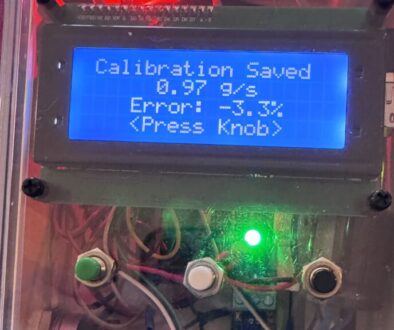
- Press the knob to save.
The grinder will calculate and save the grams-per-second value.
Manual Calibration Adjustment
On the main screen, press and rotate the knob to manually adjust the saved grams-per-second value.
Release the knob to save the new value.
This is useful for small corrections without running a full calibration.
Settings Menu
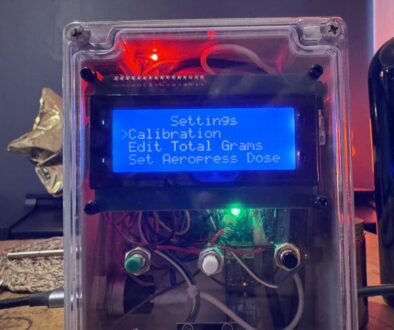
Press the Top Button to open Settings.
Available options:
Calibration
Runs the full calibration process.
Edit Total Grams
Allows the stored lifetime total grams value to be corrected manually.
Set Aeropress Dose
Sets the preset locked Aeropress dose.
Descale Reminder
Sets the coffee counter interval for descale reminders.
Options include:
- Off
- 5 coffees, for testing
- 100 to 500 coffees in 50-coffee steps
Cancel
Returns to the main screen.
The white button can also cancel and return home from most settings screens.
Descale Reminder
Each completed grind counts as one coffee for the descale reminder.
When the selected interval is reached, the grinder displays a descale reminder.
Press the knob to reset the descale counter.
1 Gram Grind
From the main screen, press the White Button to dispense approximately 1 gram of coffee.
This requires calibration first. 1 gram is determine from existing grams per second calibration.
Startup Screens
When powered on, the grinder shows:
- Software version.
- Total grams ground.
- Coffees remaining until descale.
- Estimated total 18g coffees produced.
It then enters the main screen.
Main Screen Information
The main screen shows:
- Current mode: TG, AP, or FR
- Target grams or mode name
- Current grams-per-second calibration
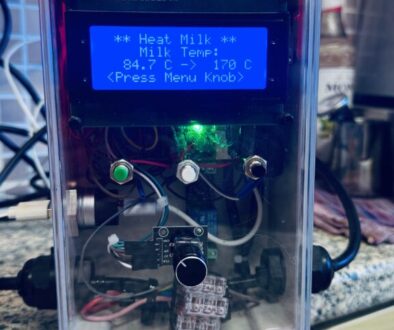
- Live temperature reading via sensor / software update port
- Start prompt
Cancelling
The white button cancels:
- Settings screens
- Calibration screens
- Grind confirmation
- Active TG/AP grinding
In Free Run mode, stop the grind using the knob.
Notes
TG and AP mode will not run until calibration has been completed.
Aeropress mode has its own dose setting and does not change the TG dose.
© Electrokev.com 2023-2026